Send OBS Request
Send any request to OBS Studio to control things or to request information.
You can control and query a large number of functions in OBS Studio via requests. The OBS Websocket Protocol contains a detailed list of requests and the data that can be sent and received:
Settings
OBS Websocket
Select the websocket connection you want to use to send a request. You can add new websocket connections in the OBS plugin settings.
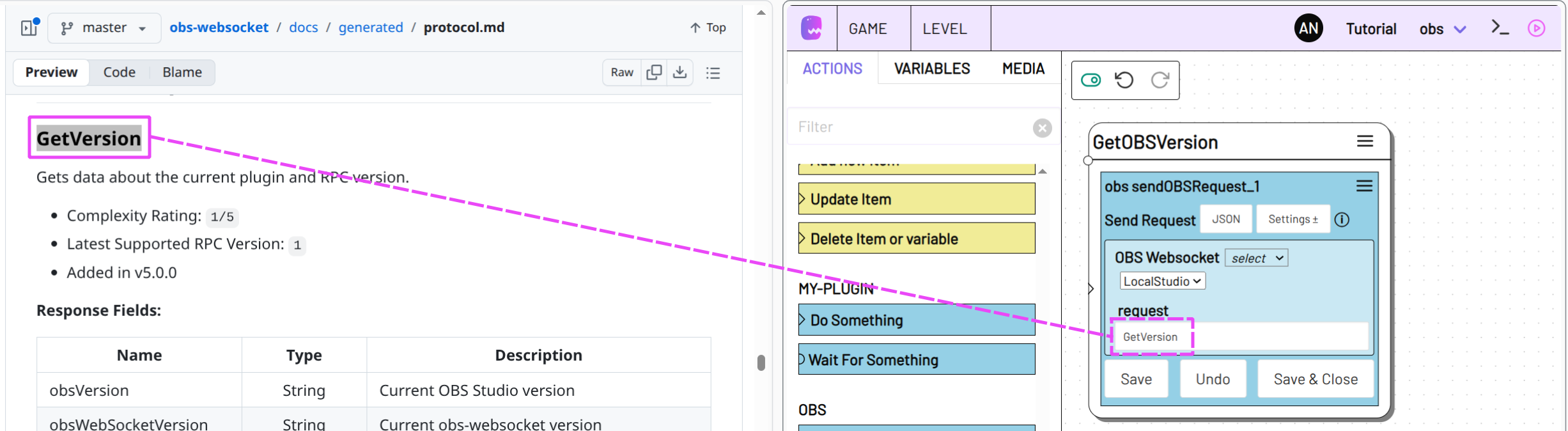
request
The name of the request you want to send to OBS Studio. All request names can be found in the OBS Websocket Protocol
Copy the request name from the Websocket Protocol website and paste it into the request field.
Data
Data to be sent with the request. You can see which data can and must be sent with which requests in the OBS Websocket Protocol.
Activate the data option in the settings and add any number of data records with Add Field.
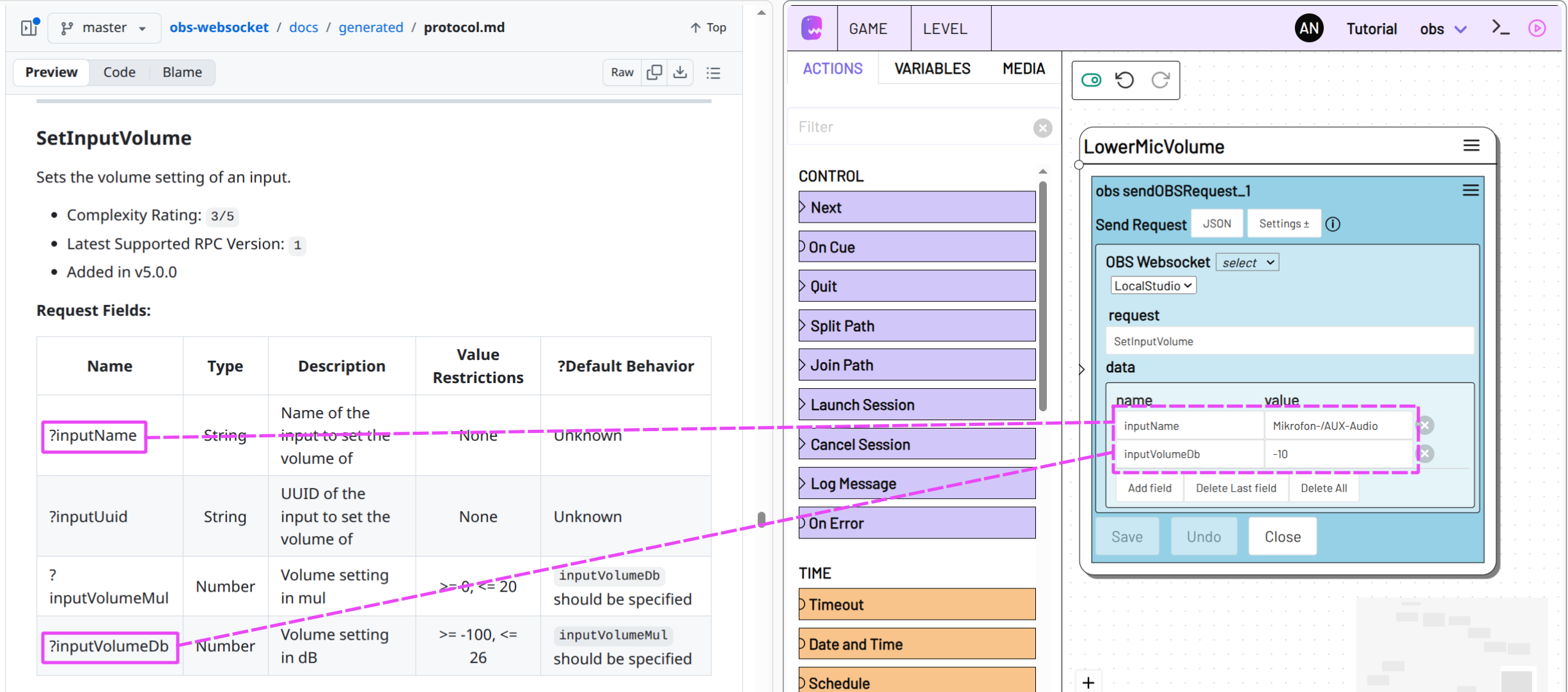
You can specify a string, a numerical value, an array ([1, 2, 3]), a JSON object ({"abc": 123}) or a variable for value.
Action data
If OBS Studio gives a response to the request, you can then use it via the Action Data response value of Send OBS Request.
E.G. use the following to get the version of the connected OBS Studio app that you obtained via request in the State GetOBSVersion:
[[state.GetOBSVersion.sendOBSRequest_1.response.obsVersion]]
request
The name of the request (request) that was sent to OBS Studio.
data
The request data (data) that was sent to OBS Studio.
response
The response to the request. The Response Field in the respective request in the OBS Websocket Protocol will show what values the response data may hold.