Sound Player
Play audio files on your computer.
In order to be able to use the sound plugin, adaptor:ex must be installed on a device with sound output.
Settings
Audio Player
The Sound plugin will try to use an already installed audio player on your computer that can play audio files in the background. The player will be selected automatically. You can use Audio Player settings to manually select the player to be used.
Choose the desired player from the list and click SAVE.
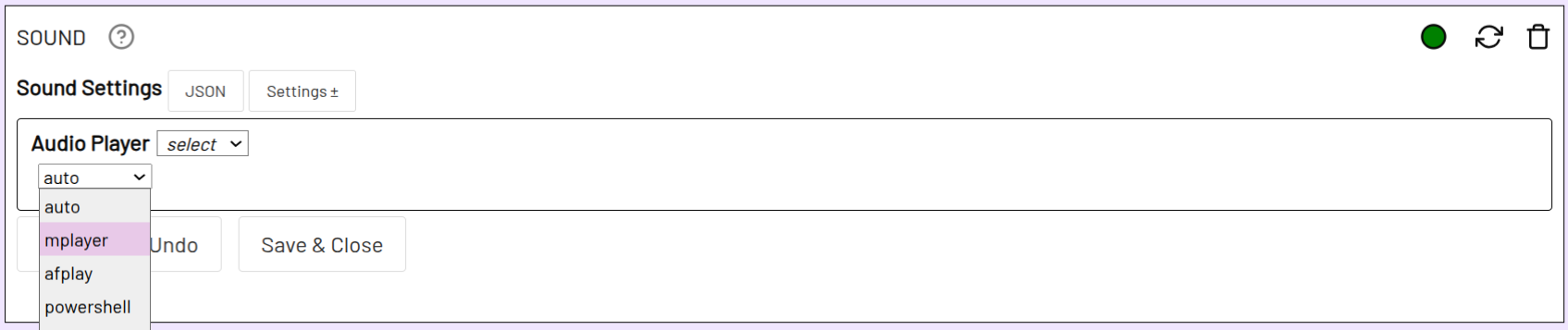
If you want the player to be determined automatically, set Audio Player to auto.
If you want to set a player not in the list or using a separate path, use custom instead of select and enter the name or path to the player in the text field.
Not all background players support all file formats. To use a wide range of audio formats, we recommend installing one of the following audio players.
MacOS
The best option, afplay, is pre-installed.
Windows
The Sound plugin will try to use the Powershell media player. This supports WAV and MP3 files. To use additional file formats, install mplayer and add the mplayer folder to your PATH environment variables.
Linux
On many Linux systems, aplay is pre-installed. aplay only supports WAV files. To use additional file formats, install mplayer.
Actions
The Play action plays individual sound files or a list of tracks.
Acknowledgements
The Sound Plugin is based on the NPM package play-sound.