User roles, archives and versions
Version 2.10
Ohno, v2.10.0 has a big bug. Please use v2.10.1
Editing games and running shows got more robust with auto backups for levels, a trash bin for not eternally removing stuff on two clicks and gradual restrictions for users.
To know that I would be able to change anything, add and delete stuff anytime makes running an adaptor:ex show extra exciting 🎢. But some shows are exciting on their own, so we decided to make something that helps deleting your game project during a live show less likely.
With user roles you can restrict access to parts of your game. For each user you can choose 1 of 6 roles to allow more or less access to each game.
- viewer 👀 View only. Can not edit the game
- operator 👩✈️ Technicians or non-experts who supervise a game during a live show
- author ✏️ Text writers, sound designers or graphic designers who mainly produce content for a game
- developer 👩💻 Engineers who work on a game, especially in terms of technology and structure
- owner 🏠 Can create new games and update and access all resources in their own games
- admin 👩🍳 Like Owner but has always access to all games
You can also set different user roles for each of your game projects or completely restrict access to some games.
Users are configured in the server config. The server Readme describes how to setup user roles for adaptor:ex:
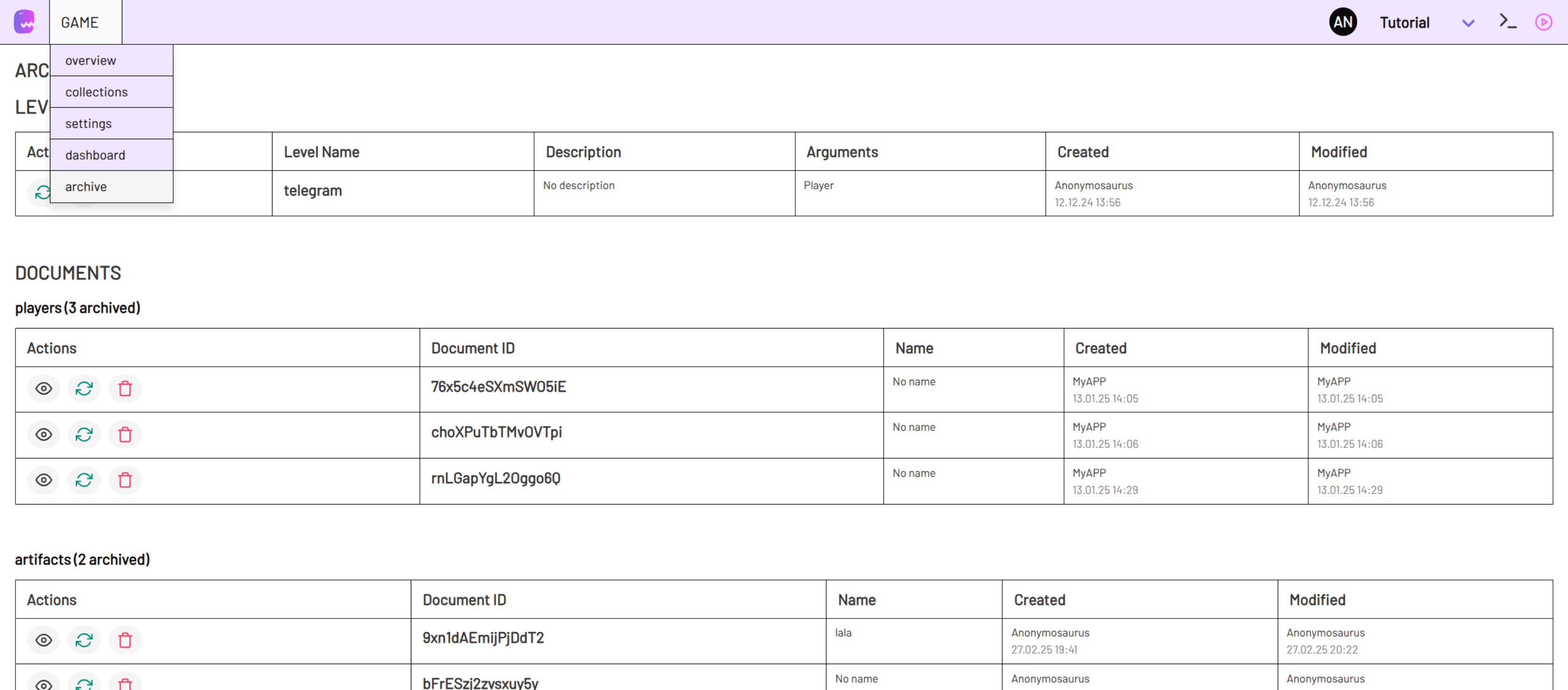
If you still deleted something by accident you can now find it in the archives. You will recognize a new game menu option archive. The archive allows you to restore or permanently delete levels and collection documents.
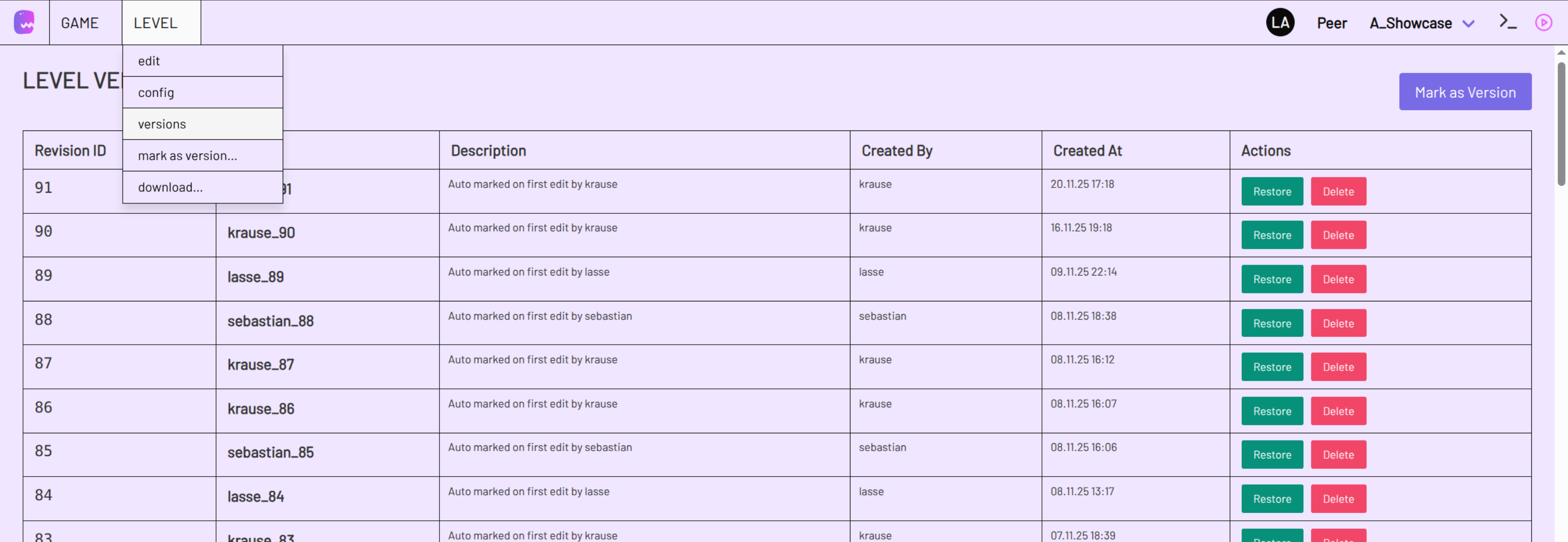
Sorry to say, but we also removed the excitement of messing things up in a level. Level versions are automatically created for each browser session so you can go back to start if you need to.
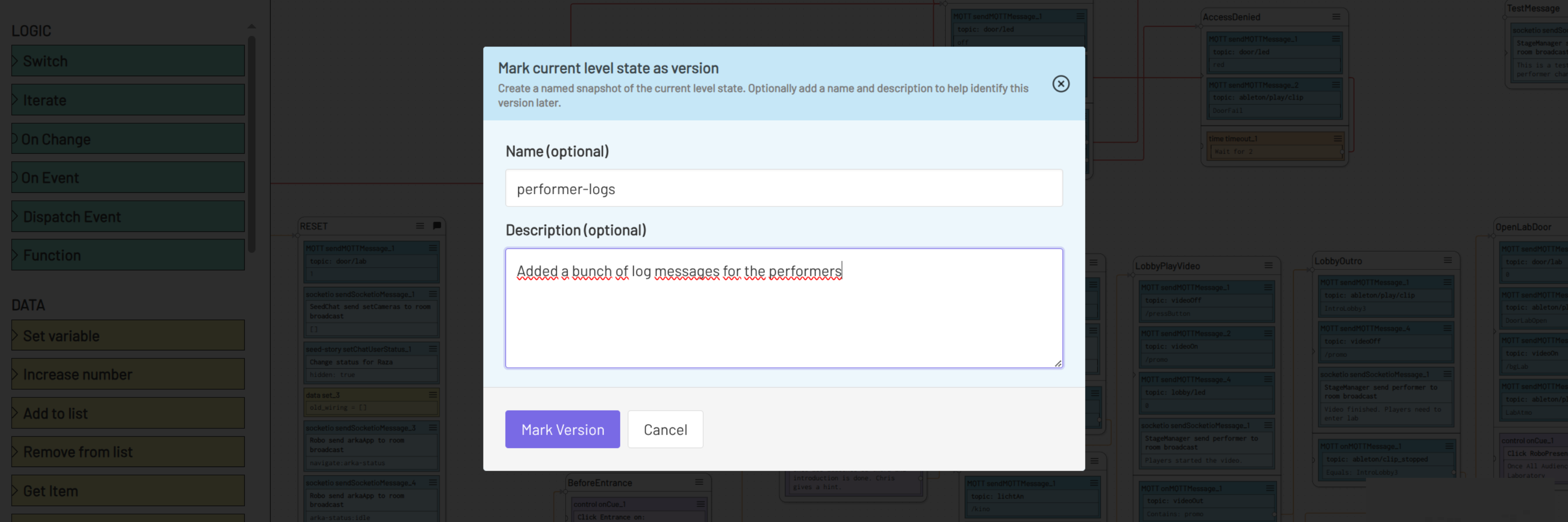
You can also create versions manually if you want to store a moment in progress.
Versions and Archives can be managed via commandline too. There you also have the option to bulk delete levels, items and level versions. Checkout the server Readme on how to organize stuff via command line.
Info
Because of a naming conflict we had to change the level command that changes log level into log. E.g. use log debug instead of level debug to change logging to debug level.
In other news, someone went to the basement, I mean backend and tugged on a line of code and suddenly the whole file crumbled. That was when we decided to maybe streamline the file formatting. Backend uses prettier to auto format code style (frontend always did) so if you want to see some neat and tidy server code, here you go. 📚
Note
When you start your server after the update you might get a Warning
This is due to the feature (in development) to load plugins from NPM. It should only occur on first start after the update. Following restarts will only ping the registry ones.
What's new in Version 2.10:
- Added user roles
- Added Level Version History
- Added Archive for levels and data collections
- Added backend Archive for canceled sessions
- Adjust external plugin install and allow to fetch plugins from NPM
- Format server code with prettier
- Renamed "level" to "log" for command line command to change log level
- Minor changes and bug fixes